| View previous topic :: View next topic |
| Author |
Message |
funkynicki

Joined: 26 Jul 2006
Posts: 840
Location: Germany (Rüdesheim)
|
 Posted: Sun Mar 25, 2007 21:08 Posted: Sun Mar 25, 2007 21:08 |
 |
|
Thats great Jonas 
Thank you very much!!
nicki  |
|
| Back to top |
|
 |
jgrizz

Joined: 12 Jan 2005
Posts: 1049
Location: Claremont/Southern California/USA
|
| Posted: Sun Mar 25, 2007 22:17 |
|
|
 Excellente' Excellente'  |
|
| Back to top |
|
|
Tlum

Joined: 12 Sep 2004
Posts: 627
Location: Prague, Czech Republic
|
| Posted: Sun Mar 25, 2007 23:11 |
|
|
| mojogonlopoto wrote: |
| Space Clav wrote: |
Thanks everyone! 
Here's a rough preview of the DVD cover I'm working on:
[IMGTMB:1068:717:478715]I'm still not sure whether to use the tube map with photos of the Jamily like this... it's possible that I will change my mind (again)... or at least swap the white background of the map with black... I don't know yet. It seemed like a good idea at first... and now... well, I just don't know.  |
I think the tube map is a good idea, but try to invert the white to black. In that case, there wonñt be a white part of the cover, the background will be all black and the cover will look much more continuosus, I think. |
Yes! I Agree with my namesake  . . |
|
| Back to top |
|
|
Space Clav
Expert

Joined: 21 Nov 2005
Posts: 1732
Location: The Internet
|
| Posted: Mon Mar 26, 2007 04:59 |
|
|
I will invert the white to black on the tube map once I'm done putting photos there. It's easier to work with a white surface on black than black on black. The contrast is needed when I mess around with the photos and their shapes. With all photos in place and with the remaining white parts changed to black I have a feeling the tube map will look nice. If not... well... I'll just go with plan B... 8mm movie, or plan C... old school photo album.
_________________
Old school forever! |
|
| Back to top |
|
|
Ms.P

Joined: 11 Aug 2002
Posts: 727
Location: England
|
| Posted: Mon Mar 26, 2007 07:10 |
|
|
Thanks Jonas, all the covers are brilliant  . .
_________________
All Hail the King |
|
| Back to top |
|
|
jamirokaki
Expert

Joined: 29 Jan 2003
Posts: 3472
Location: basque country
|
| Posted: Mon Mar 26, 2007 13:39 |
|
|
great work, thank you very much jonas
_________________

***STONED AGAIN*** |
|
| Back to top |
|
|
LittleEm
Joined: 08 Mar 2007
Posts: 35
Location: South Bucks, Just outside London, UK
|
| Posted: Mon Mar 26, 2007 20:00 |
|
|
Genuis
jonas, everything is wonderful!!! Thankyou so much for sharing
Em |
|
| Back to top |
|
|
Gonza-Arg

Joined: 27 Mar 2005
Posts: 1680
Location: Argentina
|
| Posted: Mon Mar 26, 2007 20:08 |
|
|
| Space Clav wrote: |
| Oh and btw... the font (Neo Sans - the new Intel font). I don't have it. I'm too cheap to pay €42 for a font I'm just going to use once, for this cover. Anyway, on this page you can type text and get an example of what it looks like with Neo Sans. It creates a GIF. It's limited to a certain number of characters (can't remember how many). So all text was typed into that box, word by word, then I saved the GIF's, inverted them and put them together to create the track titles etc. Time consuming! Laughing |
Thanks for the info!
And nice way of using the font without buying it hehehe |
|
| Back to top |
|
|
russky

Joined: 06 Jun 2005
Posts: 3396
Location: Chester, U.K
|
| Posted: Mon Mar 26, 2007 21:07 |
|
|
cd & dvd labels
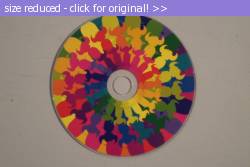
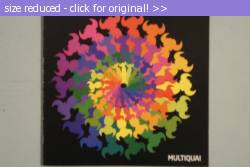
for the disc labels the design off the original cd is perfect and these HP cd/dvd tattoo ones work well giving a glossy finish:
use any of these as templates:

_________________
|
|
| Back to top |
|
|
dynamite_love

Joined: 31 Jan 2007
Posts: 422
Location: This town deserves a better class of criminal, and im gonna give it to them.
|
| Posted: Mon Mar 26, 2007 22:25 |
|
|
I cant download the gig..
It says " you need to have the next volume to continue the extraction "
 |
|
| Back to top |
|
|
dynamite_love
Joined: 31 Jan 2007
Posts: 422
Location: This town deserves a better class of criminal, and im gonna give it to them.
|
| Posted: Mon Mar 26, 2007 22:26 |
|
|
I have the five parts in the format " Winrar " |
|
| Back to top |
|
|
jamirokaki
Expert
Joined: 29 Jan 2003
Posts: 3472
Location: basque country
|
| Posted: Mon Mar 26, 2007 23:36 |
|
|
wowowowow! russky! 
i never used stickers for the cd's but i always planned to print some...maybe now is the time...
_________________
***STONED AGAIN*** |
|
| Back to top |
|
|
FunkyDonkey
Officer

Joined: 15 Jun 2004
Posts: 1680
Location: Milan, Italy
|
| Posted: Tue Mar 27, 2007 07:32 |
|
|
Re: cd & dvd labels
| russky wrote: |
for the disc labels the design off the original cd is perfect and these HP cd/dvd tattoo ones work well giving a glossy finish:
|
What's that Russ? A HP multiquai tatoo kit? I never have seen something like this... 
_________________
I once had a 10 years of Travelling Without Moving celebrations banner here... |
|
| Back to top |
|
|
Space Clav
Expert
Joined: 21 Nov 2005
Posts: 1732
Location: The Internet
|
| Posted: Tue Mar 27, 2007 07:35 |
|
|
Wicked Russ!!! Just wicked!
Speaking of tatoos... I've never wanted one. But should I ever get one I'd get a big f'ing Multiquai disc label on my back... 12" size! Imagine the pain! 
_________________
Old school forever! |
|
| Back to top |
|
|
russky
Joined: 06 Jun 2005
Posts: 3396
Location: Chester, U.K
|
| Posted: Tue Mar 27, 2007 13:35 |
|
|
yer they were test ones for my new printer and i was waiting to use them up. This seemed like the perfect time. Think i will get some more now!!!
Im gonna wait till they dry properly and then will post the finished pics 
speaking of tattoos guys - i was seriously considering the black & white multiquai pattern for one or maybe it's to intricate??
The labels are 5" x 7" HP CD/DVD Tattoos - super glossy
hope they work.
_________________
|
|
| Back to top |
|
|
|

 Editorial
 Search
 Memberlist
 Register
 Profile
 Private messages
 Log in